
If you’ve ever posted a Reel, a Short, or a thread and later found out — purely by accident — that it was ranking on Google, you know the frustrating part: there was no way to actually see it happening. Native platforms will happily tell you views, watch time, and likes. But the moment someone found your content through an actual Google search, that data disappeared into a black hole. You had no query, no impression count, nothing.
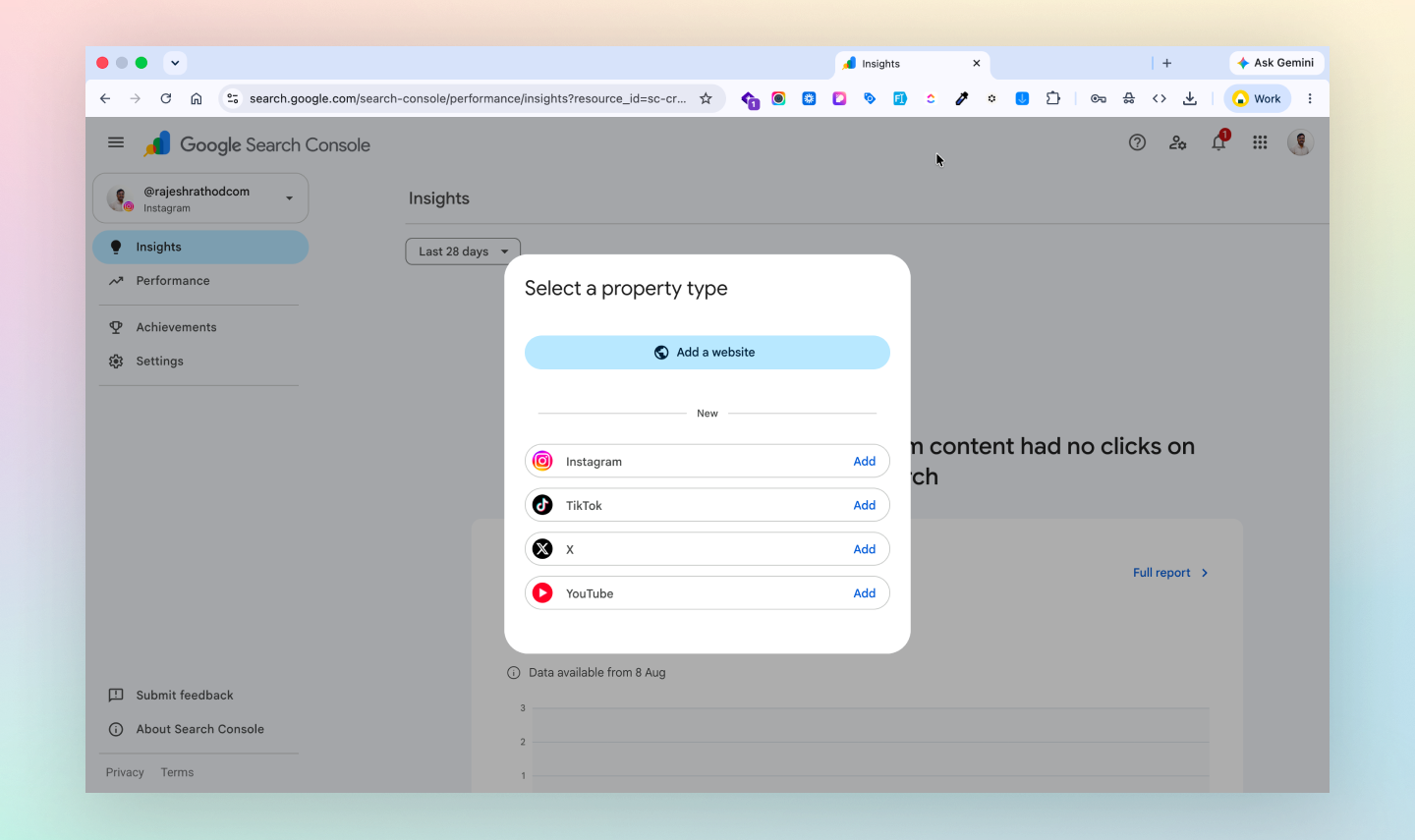
That gap just closed. Google has rolled out Platform Properties inside Search Console, and for the first time, you can verify and track your YouTube, TikTok, Instagram, and X accounts the same way you’d track a website.
I manage Search Console for a fair number of client sites, so this update caught my attention immediately. Here’s what it actually does and, more importantly, how to put it to use.
What Platform Properties Actually Do
In the old world, GSC only understood domains and URL prefixes — you proved ownership through DNS records or file uploads. Platform Properties skip that entirely. You connect through direct OAuth login with the social network itself, so there’s no website required at all.
Once connected, Search Console starts reporting on how that specific account performs across Google Search, Discover, and Google News — separate from anything you’re already tracking on your site.
                Google Search / Discover / News
                            │
                Organic search traffic to your posts
                            │
      ┌───────────┬─────────┴─────────┬────────────┐
      ▼           ▼                   ▼            ▼
  YouTube      TikTok             Instagram        X
      │           │                   │            │
      └───────────┴─────────┬─────────┴────────────┘
                            ▼
              Search Console Platform Property
               — queries, clicks, impressions
               — CTR, average position
               — 24-hour spike tracking
Right now, four platforms are supported:
- YouTube — channels, videos, Shorts, playlists
- TikTok — profiles and published videos
- Instagram — profile pages, feed posts, Reels, Stories
- X — profile pages and individual posts or threads
Setting It Up
This took me under two minutes per account, and there’s really nothing technical about it:
- Sign into Search Console with your main account and click the property dropdown in the top-left, then + Add Property.
- Pick the platform you want — Instagram, TikTok, X, or YouTube. If Google already recognizes a profile tied to you, it may show up automatically.
- You’ll get bounced to that platform to log in and authorize Search Console’s read access.
- Once you’re redirected back, hit Go to property. Give it 24–48 hours before you expect to see historical query data populate.
Repeat for every account you want tracked — each one lives as its own separate property.
What You Can Actually See
Once the data starts flowing in, there are a couple of reports worth paying attention to:
Search queries. This is the headline feature — the actual terms people typed into Google before landing on your Reel, your Short, or your TikTok. That’s information you simply couldn’t get before.
24-hour traffic spikes. If a new post starts getting picked up by Search or Discover, you’ll see it almost in real time. This is genuinely useful for catching a video that’s about to take off before the momentum fades.
Format comparisons. On YouTube, you can compare how /watch long-form content stacks up against /shorts/. On Instagram, it’s /p/ posts versus /reels/. Handy if you’re deciding where to put your effort next.
There’s also a Search Console Insights layer — query groups showing what’s rising or declining, plus the ability to leave annotations whenever you change a title, caption, or set of hashtags, so you can actually see if that edit moved the needle.
Where This Gets Useful for Client Work
Data on its own is nice. What I care about is what you can do with it. A few things I’ll be applying to client accounts:
Find the keyword gap between platform search and Google search. Most creators optimize captions for the platform’s own search bar. But what people type into Google is often a completely different intent — more commercial, more specific. If GSC shows a video pulling impressions for a phrase like “WordPress theme setup for agencies,” that’s a phrase worth working into the next video title or pinned comment, not just the caption.
Move fast on trending content. If the 24-hour view shows a video suddenly getting picked up by Google, that’s your window. Update the pinned comment with a link, refresh the bio link, and push it into a newsletter or blog post before the spike cools off.
Repurpose social videos as landing page content. If an Instagram Reel is consistently pulling search impressions for a specific problem someone’s trying to solve, embed that same video on a proper landing page on your website, next to a form or a clear next step. You’re converting search traffic you already earned instead of leaving it stuck inside the app.
Back up your reporting with real numbers. If you manage social accounts for clients, this is the piece that’s been missing. Native analytics only show what happens inside the app. Now you can hand a client actual Google Search impressions and query data in your monthly report — something their competitors likely can’t show at all.
This is one of those updates that sounds minor on paper but changes how you’d actually approach content planning. If your work — or your client’s — lives on social first and a website second, it’s worth connecting these accounts today rather than waiting for the “eventually I’ll get to it” pile.
Leave a Reply
You must be logged in to post a comment.